Explore an illustrative AWS DevOps pipeline in which GitHub commits trigger CodePipeline, CodeBuild builds a Docker image, Amazon ECR stores it and Amazon ECS Fargate deploys the containerized application. Terraform is used conceptually for infrastructure provisioning and CloudWatch provides monitoring.
This is a conceptual learning project for the TechTrivandrum website. It does not claim that the application or infrastructure has been built, deployed or tested.
Illustrative project only
This package describes an educational AWS DevOps architecture. It is not presented as a deployed, tested or production-ready implementation.
Project objective
The goal is to demonstrate how modern DevOps services on AWS work together: source control, CI/CD orchestration, container image creation, registry publishing, container deployment, infrastructure as code, and monitoring.
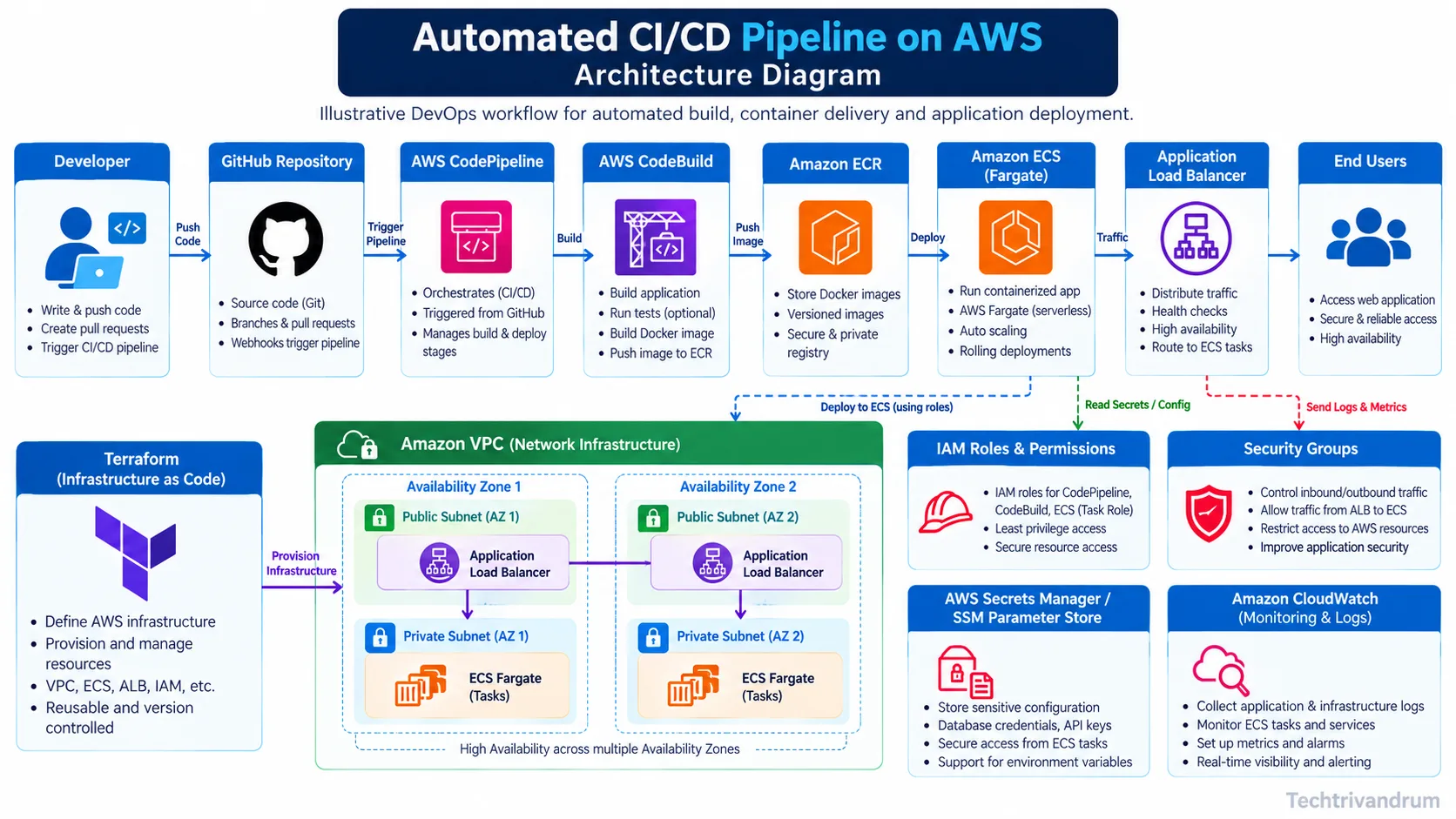
Architecture diagram
Overall AWS architecture for the illustrative deployment.
The diagram shows the journey from a developer push in GitHub to a load-balanced application running on Amazon ECS Fargate. It also highlights VPC networking, IAM roles, secret management and CloudWatch observability.
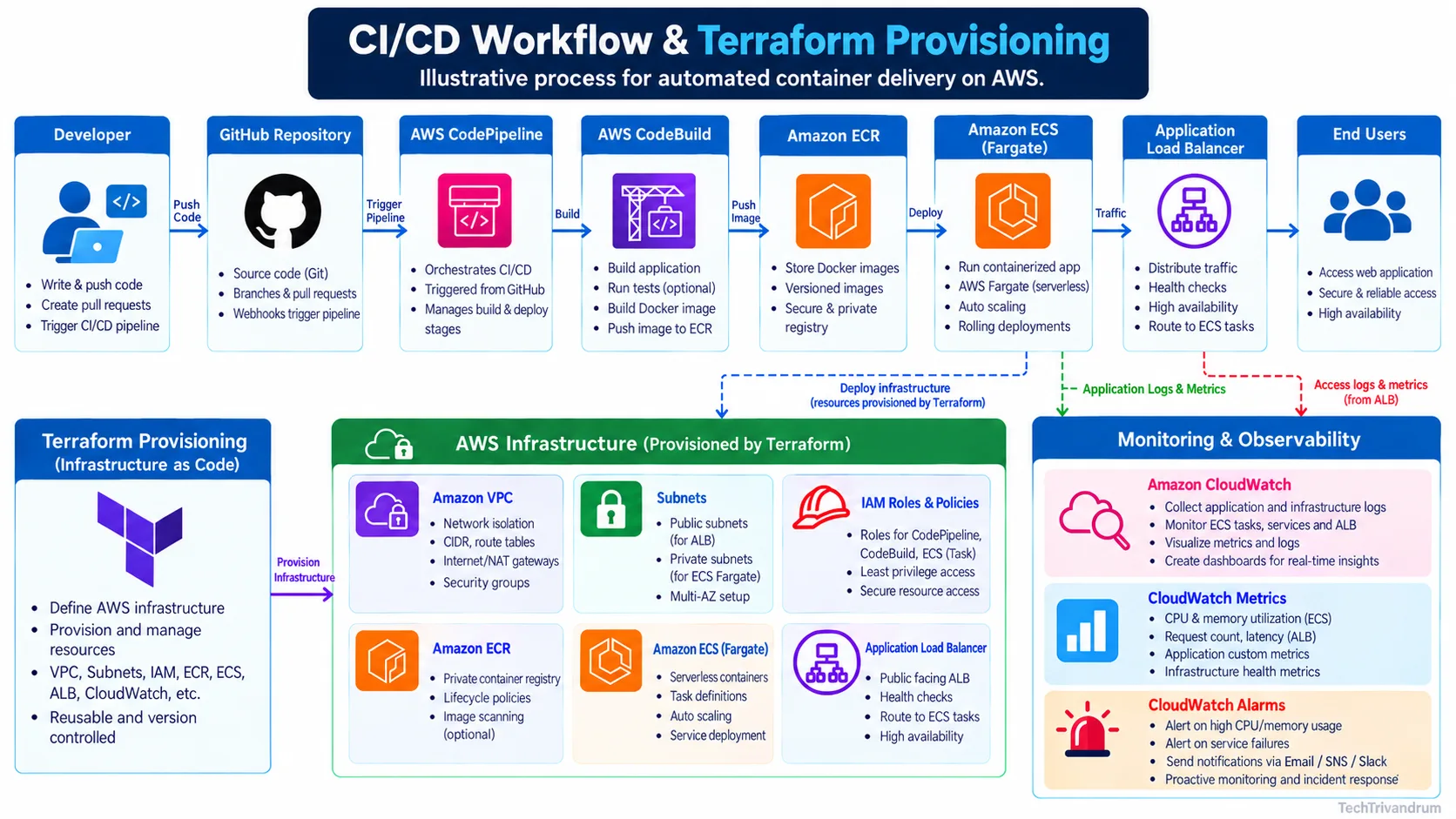
Workflow diagram
Workflow from source code to deployment and monitoring.
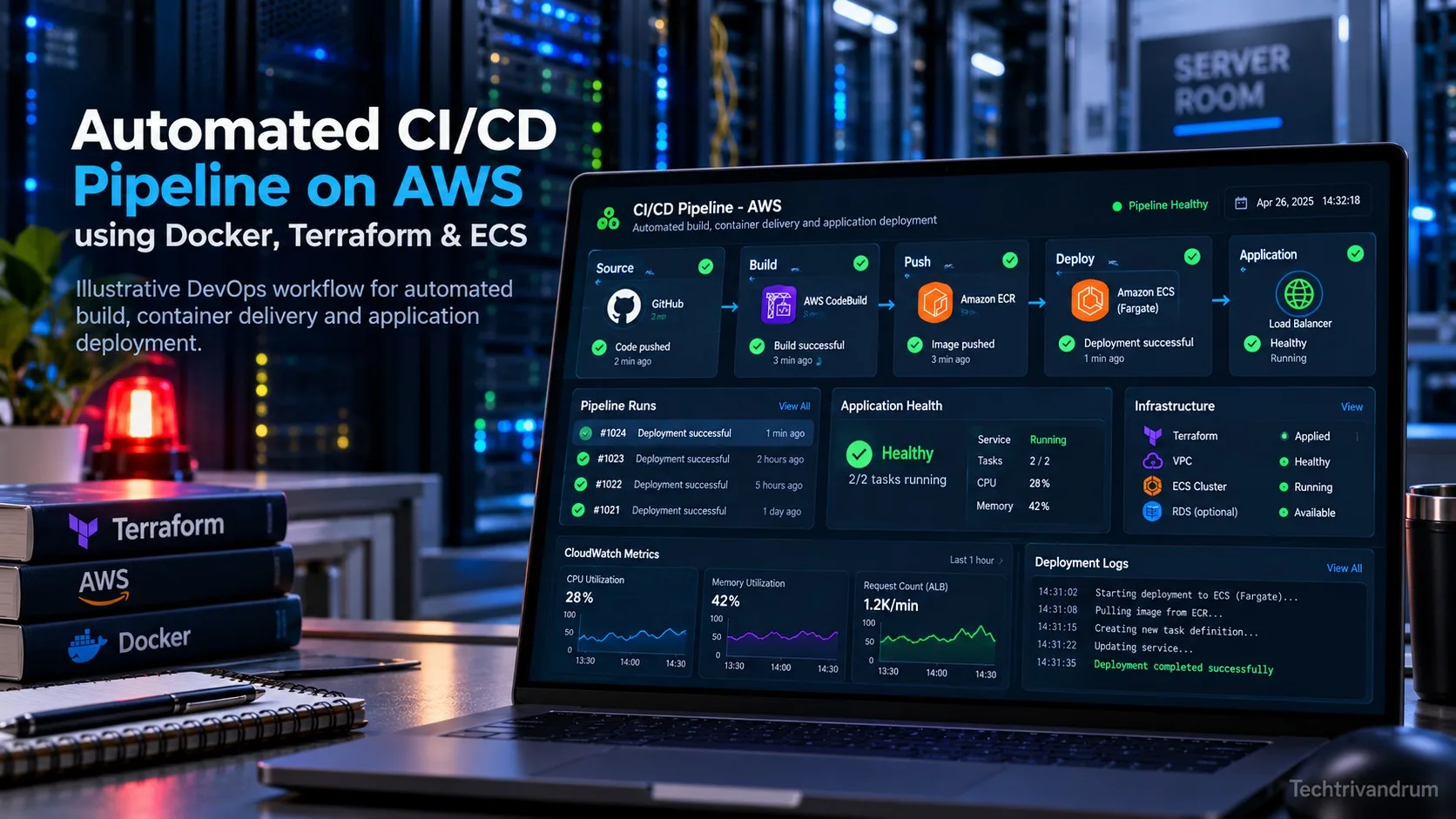
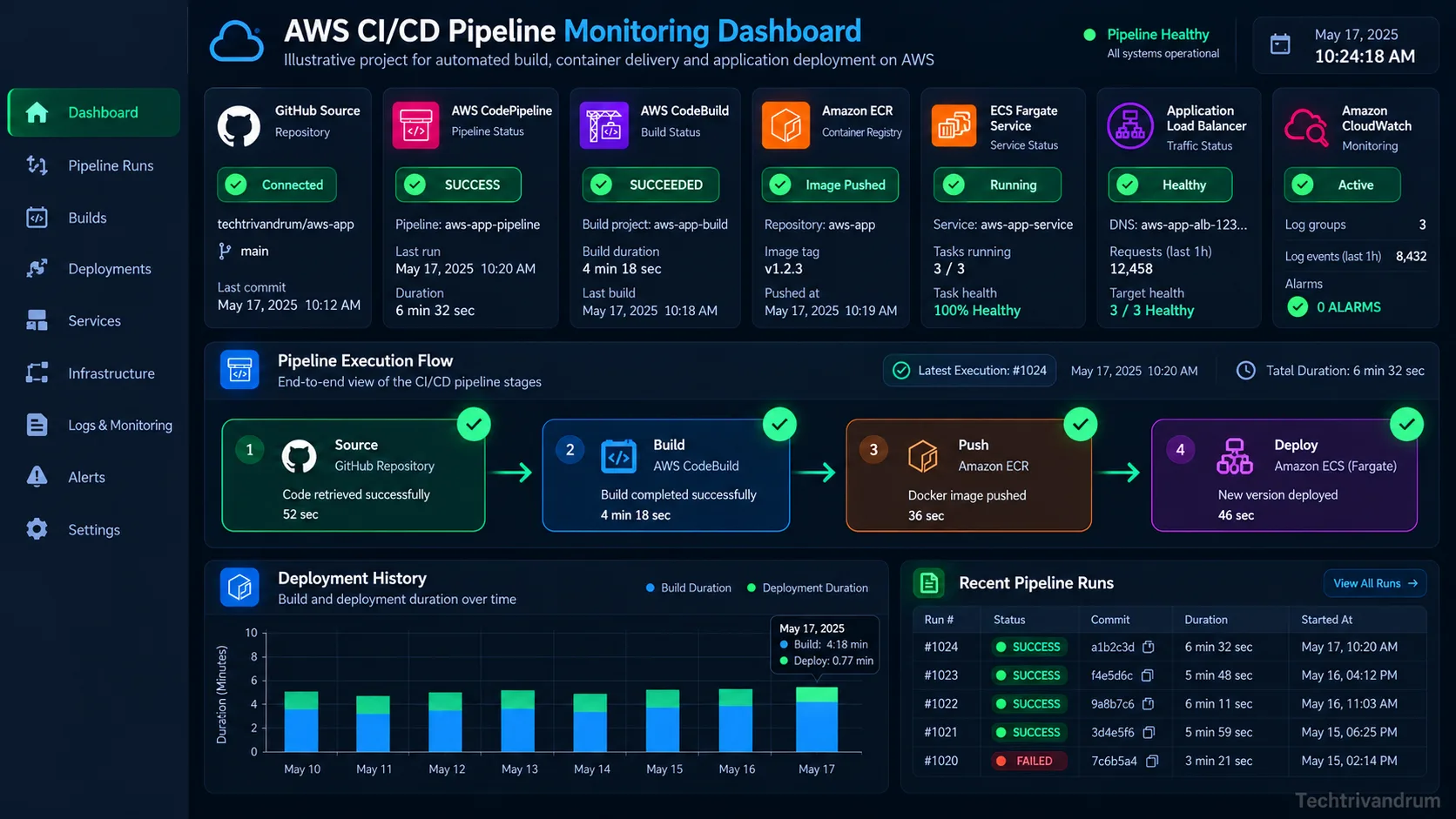
Monitoring dashboard
Illustrative dashboard for pipeline and application health.
A realistic DevOps pipeline needs visibility into build success, image publishing, deployment progress, service health and operational metrics. The sample dashboard visualizes those concepts in a clean educational format.
Illustrative sample application
app.pypython
fromflaskimportFlaskapp=Flask(__name__)@app.get("/")defindex():return"Hello from TechTrivandrum illustrative AWS CI/CD demo!"@app.get("/health")defhealth():return{"status":"ok"}
CodeBuild can build a Docker image and output imagedefinitions.json for the standard ECS deployment action in CodePipeline. Environment variables and IAM permissions must be configured separately in a real setup.
terraform{required_providers{aws={source="hashicorp/aws", version = "~> 5.0"}}}provider"aws"{region=var.aws_region}variable"aws_region"{type=string}resource"aws_ecr_repository""app"{name="techtrivandrum-cicd-demo"image_tag_mutability="IMMUTABLE"image_scanning_configuration{scan_on_push=true}}
Implementation notes
Area
Illustrative idea
Source control
GitHub repository containing application code and CI/CD definitions
Pipeline orchestration
AWS CodePipeline coordinates the build and deployment stages
Container build
AWS CodeBuild creates and tags the Docker image
Image registry
Amazon ECR stores versioned container images
Runtime
Amazon ECS Fargate runs the containerized application
Traffic management
Application Load Balancer routes requests and performs health checks
Observability
Amazon CloudWatch provides logs, metrics and alarms
Infrastructure as Code
Terraform conceptually provisions the main AWS resources
Security considerations
Use least-privilege IAM roles for CodePipeline, CodeBuild and ECS tasks.
Keep application containers in private subnets and expose only the load balancer.
Use HTTPS and secure secret storage such as AWS Secrets Manager or SSM Parameter Store.
Review image scanning, logging, alarms and deployment rollback settings before any real use.
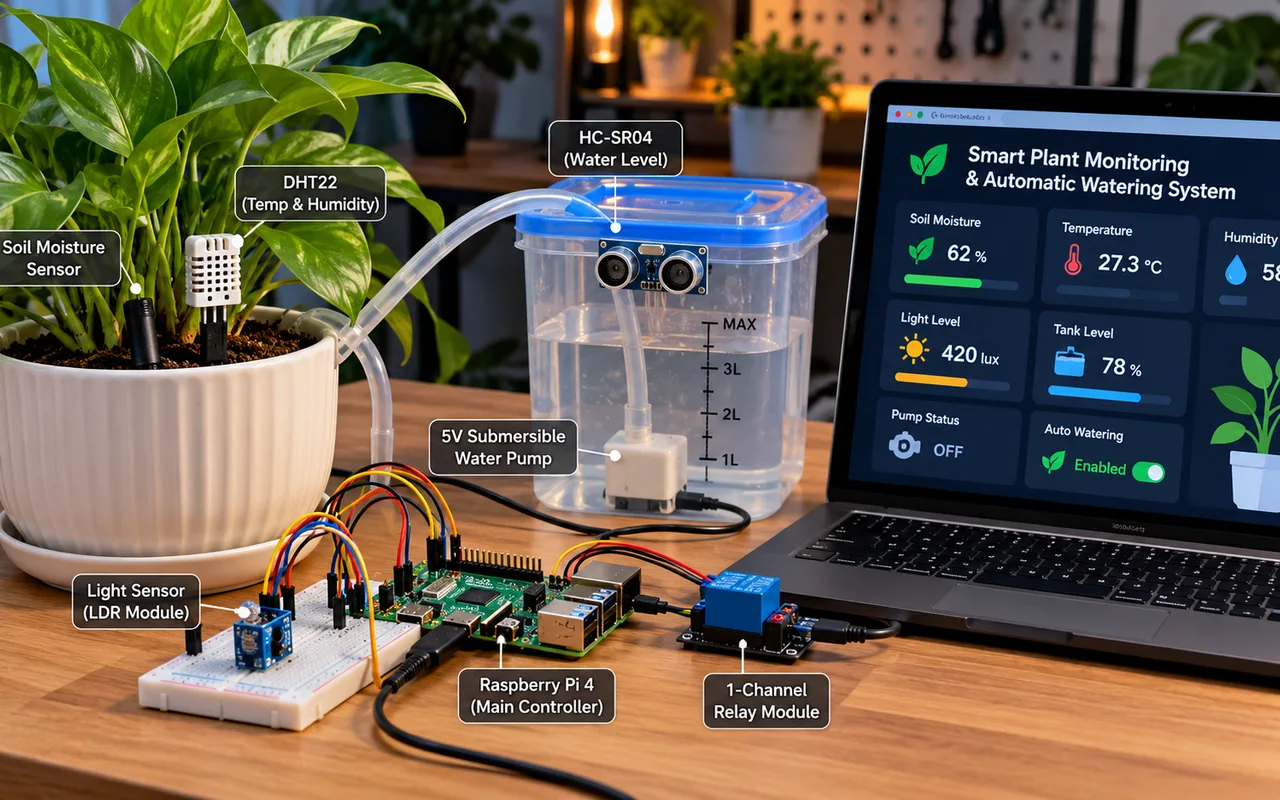
Explore a Raspberry Pi IoT concept for monitoring soil moisture, temperature, light and tank level, with proposed automatic irrigation and a plant-care dashboard.
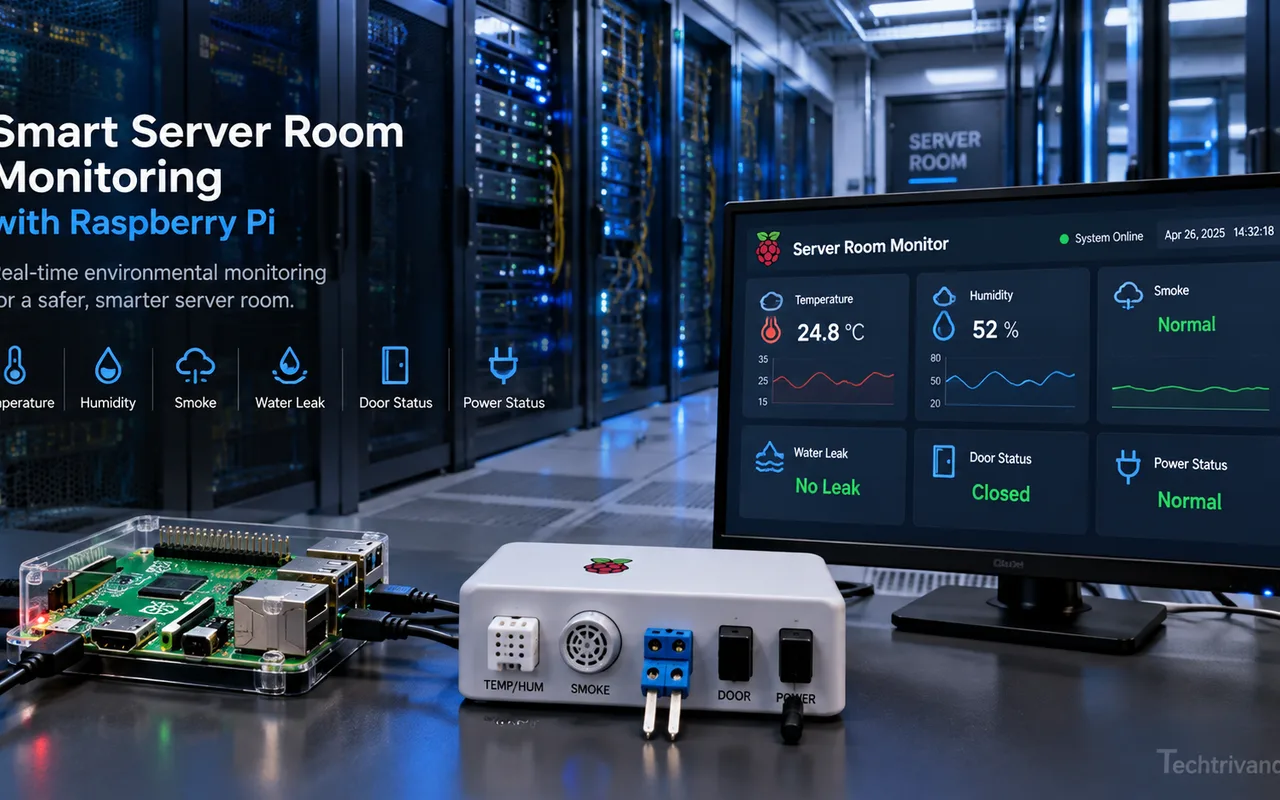
Illustrative Raspberry Pi IoT monitoring concept for server rooms, combining environmental sensors, door and power status, dashboard visualizations, historical records and configurable alerts.